


Download TikTok Notes APK – photo-sharing, lifestyle, creative content, image storytelling
Overview
TikTok Notes is a dedicated photo-sharing platform developed by TikTok, designed to offer users a focused environment for sharing images accompanied by text. The app aims to serve as a streamlined alternative to general-purpose social media platforms by emphasizing visual storytelling through curated photo-text content. It caters to individuals who enjoy sharing personal moments, travel experiences, recipes, and reflective narratives in a more structured format. While TikTok already supports photo posts and slideshows, TikTok Notes isolates this functionality into a distinct interface, targeting users who prefer a cleaner, more intentional experience for image-based communication.
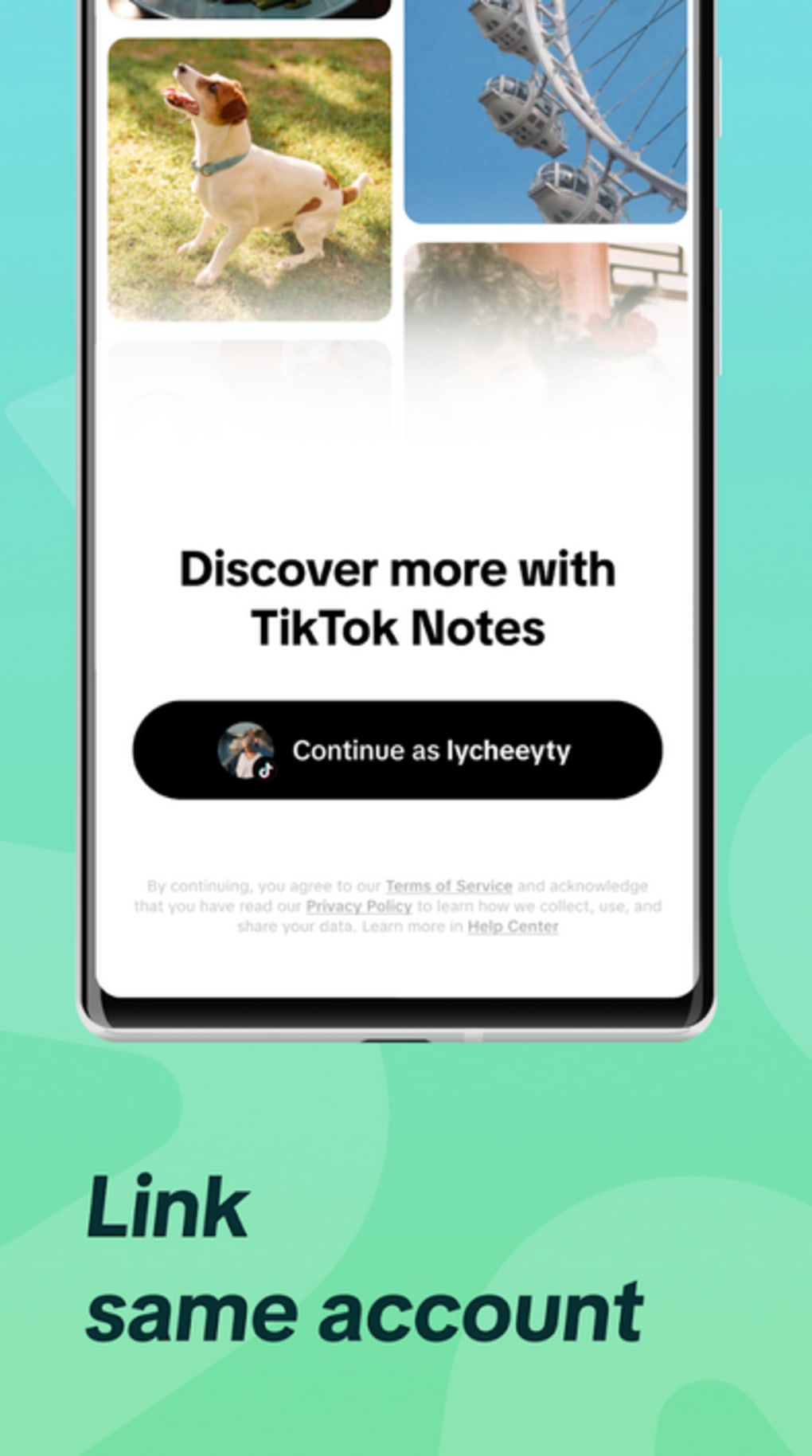
Users can connect TikTok Notes to their existing TikTok account, allowing seamless synchronization of current and future photo content. This integration ensures that existing posts are preserved and can be optionally shared across both platforms. The app provides users with the flexibility to toggle visibility between TikTok and TikTok Notes, maintaining control over their content distribution. Its interface draws visual inspiration from platforms like Instagram and Pinterest, featuring a clean layout with a “Following” feed and a personalized “For You” section driven by TikTok’s recommendation algorithm.
Key Features & Capabilities
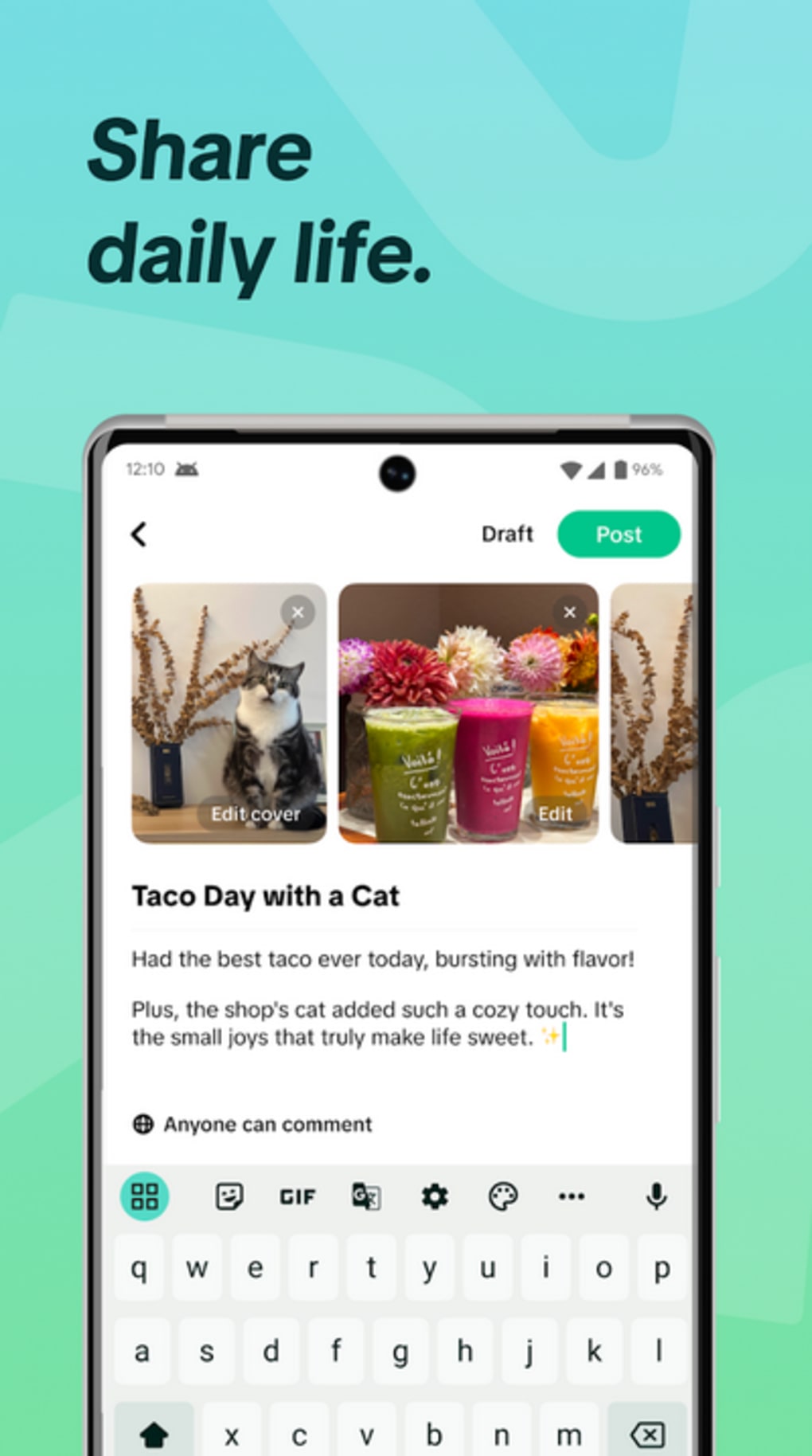
- Photo-Text Integration: Users can pair images with descriptive captions and headlines, enabling more expressive storytelling than standard photo posts.
- Seamless TikTok Integration: All existing and future photo content from TikTok can be automatically synced to TikTok Notes, reducing the need for reposting.
- Content Visibility Control: Users can choose whether to display their photo posts on TikTok Notes or keep them exclusive to TikTok via a simple toggle.
- Personalized Content Feed: The “For You” tab uses TikTok’s algorithm to recommend content based on user preferences and behavior.
- Following Feed: The “Following” tab displays updates from accounts users choose to follow, offering a curated stream of content.
These features are particularly useful for content creators, lifestyle bloggers, and individuals who value visual journaling. The headline feature adds a layer of narrative depth, making it ideal for sharing travel tips, daily routines, or emotional reflections. The ability to maintain content control across platforms supports a more intentional digital presence. However, no specific details were provided about advanced editing tools, sharing options, or analytics features.
User Interface, Workflow & Performance
TikTok Notes features a modern, minimalist interface that emphasizes visual clarity and ease of navigation. The layout is divided into two primary tabs: “Following” and “For You,” mirroring the user experience of TikTok’s main app. This consistency reduces the learning curve for existing TikTok users. The “For You” feed presents content in a grid format similar to Pinterest, with large image thumbnails and accompanying text, enhancing readability and engagement.
Navigation between sections is intuitive, with bottom navigation bars and clear visual cues. The workflow for posting content appears streamlined, requiring minimal steps to upload an image and add a caption or headline. However, exact performance details were not specified. The developer did not provide information on CPU or RAM usage, nor were there any reported stability metrics. General software behavior suggests that performance may vary based on device capabilities and network conditions, but no specific observations were made.
Compatibility & System Requirements
TikTok Notes is available as an APK file, indicating it is designed for Android devices. The app is built to integrate with TikTok, suggesting it requires an active TikTok account for full functionality. The installation size is not specified, nor were exact system requirements provided. Compatibility information is limited to Android, with no details on supported versions, minimum storage, or hardware specifications.
The developer did not specify resource usage details. Performance observations are based on general software behavior patterns. Users should ensure their device meets basic Android system requirements to run the app smoothly. No information was provided about support for iOS or other operating systems.
Pros and Cons
Pros
- Seamless integration with existing TikTok accounts and content
- Streamlined interface focused on photo-text storytelling
- Option to control visibility of posts across platforms
- Familiar navigation for current TikTok users
- Personalized content feed powered by TikTok’s algorithm
Cons
- Limited differentiation from established platforms like Instagram and Pinterest
- No detailed information on system requirements or performance
- APK distribution may raise security concerns for some users
- Lacks advanced editing or analytics features
- Available only as an APK, limiting access to Android users
FAQ Section
Is TikTok Notes available for iOS devices?
Currently, TikTok Notes is distributed as an APK file, which is exclusive to Android. There is no official release for iOS devices.
Can I use TikTok Notes without a TikTok account?
No, TikTok Notes requires an active TikTok account for authentication and content synchronization.
Is TikTok Notes safe to download as an APK?
Downloading APKs from unofficial sources carries inherent risks. Users should only obtain the file from trusted, verified sources to minimize exposure to malware or unauthorized modifications.
Does TikTok Notes offer automatic updates?
Automatic update functionality depends on the source from which the APK is installed. Users may need to manually check for new versions.
Can I post content on TikTok Notes without sharing it on TikTok?
Yes, users have the option to keep their photo posts exclusive to TikTok Notes by toggling the visibility setting during or after posting.
Final Thoughts
TikTok Notes presents a focused, visually driven platform for users who want to elevate their photo-sharing experience with narrative elements. Its integration with TikTok ensures a smooth transition for existing users, while the clean interface and personalized feed offer a compelling alternative to cluttered social feeds. While it doesn’t introduce groundbreaking innovations, it serves a niche audience seeking a more intentional space for image-based storytelling. The app’s reliance on APK distribution limits its accessibility and raises security considerations, but its core functionality remains solid for Android users. For those already active on TikTok and interested in a dedicated photo journal, TikTok Notes offers a convenient, low-friction option.
Download TikTok Notes APK now





.png)

